Smart Station — Interactive Trolley Return System
The Problem
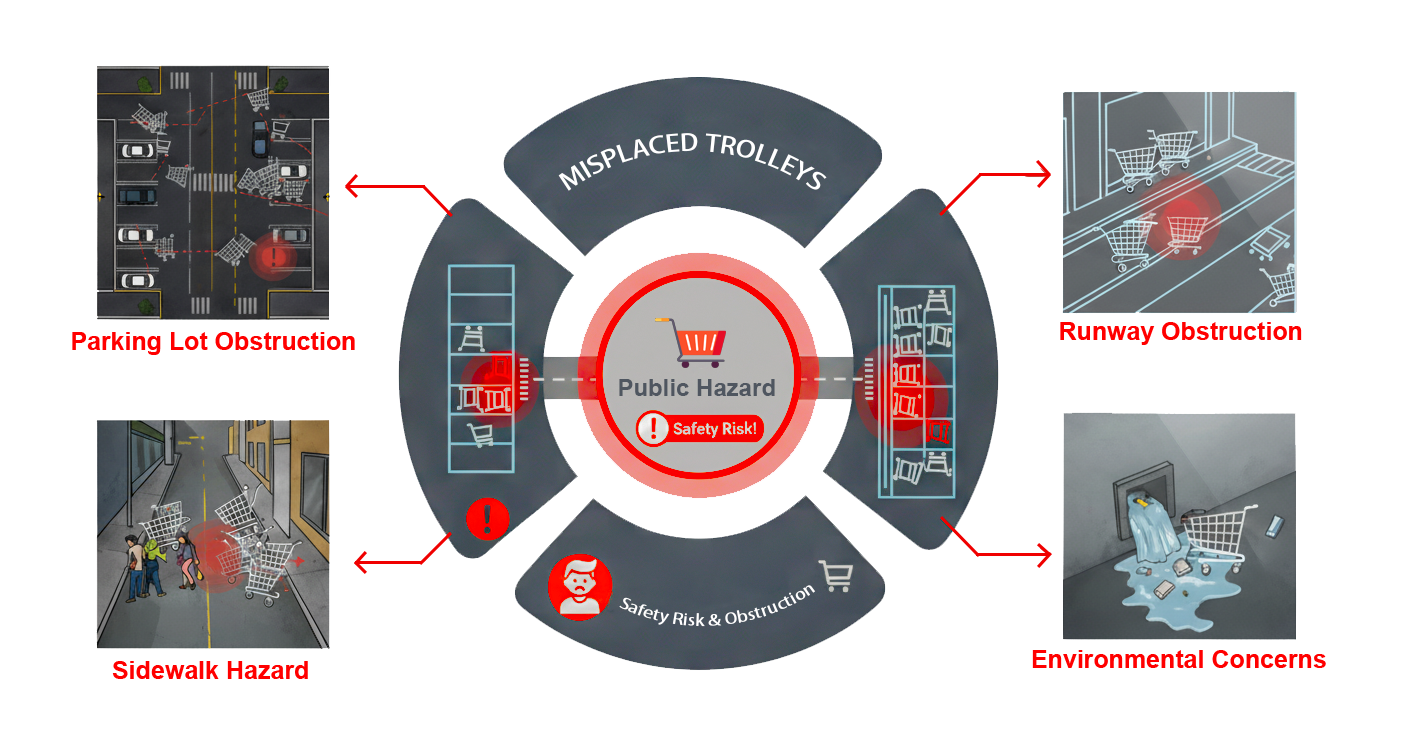
The pervasive issue of misplaced shopping trolleys creates a cascade of negative effects for retailers and the public. This persistent problem is multifaceted, impacting businesses financially, posing risks to public safety, and causing daily frustration for shoppers.
My Role & The Team
Collaborating in a team of 2, I was responsible for the following key areas:
- User Research & Data Synthesis
- User Journey Mapping
- UI & Animation Design
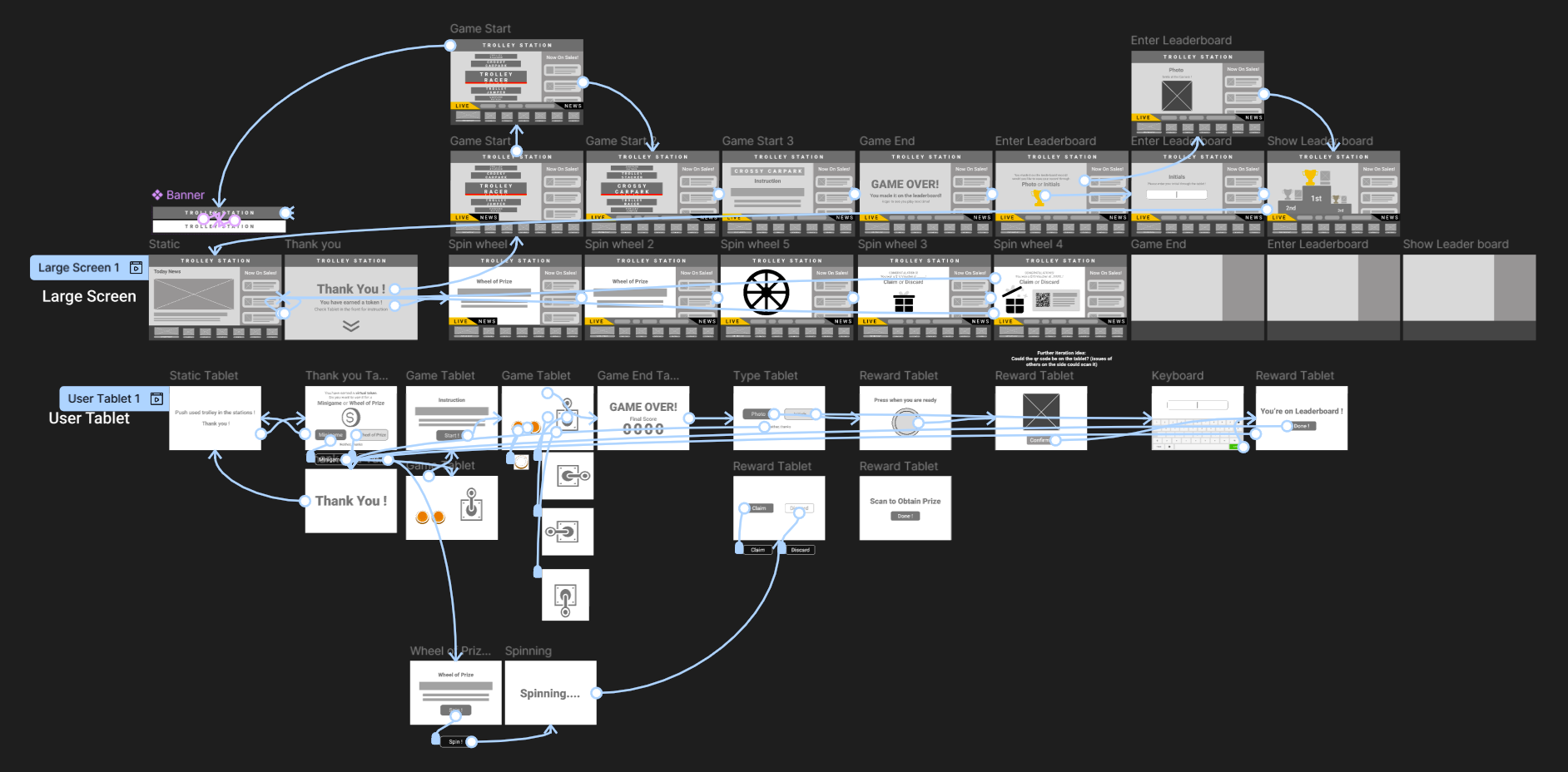
- Interaction Prototyping
- Usability Testing
Persona: Josh, 26, Local Shopper
Goals:
To leave the shopping center efficiently with ease when shopping is done.
Frustrations:
- Limited, far away trolley stations
- Trolleys with bad mobility
- Reduced motivation
Research & Discovery
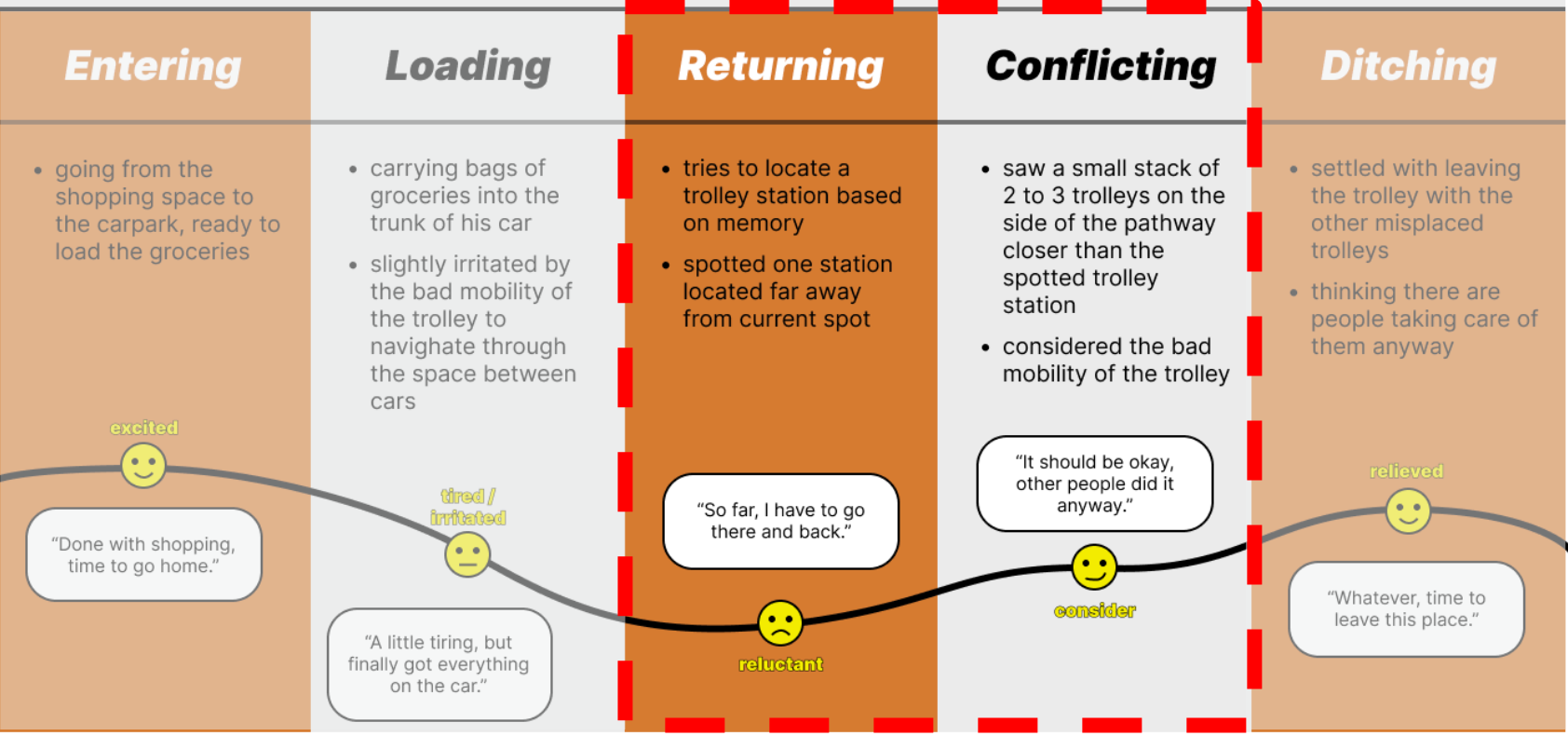
Through surveys, interviews, and observation, we concluded that trolley misplacement is a multi-faceted problem driven by a combination of systemic flaws and human behavior:
Poor User Experience:
The trolley return process often lacks clear instructions, making it confusing.
Lack of Incentives:
There is little to no motivation for users to return trolleys, especially when they are in a hurry.
Bandwagon Effect:
People are more likely to abandon a trolley if they see others doing the same.
"Not My Issue" Mindset:
Many shoppers feel that trolley collection is a store's responsibility, not their own.
The Journey: From Ideation to Solution
lightbulbIdeation & Wireframing
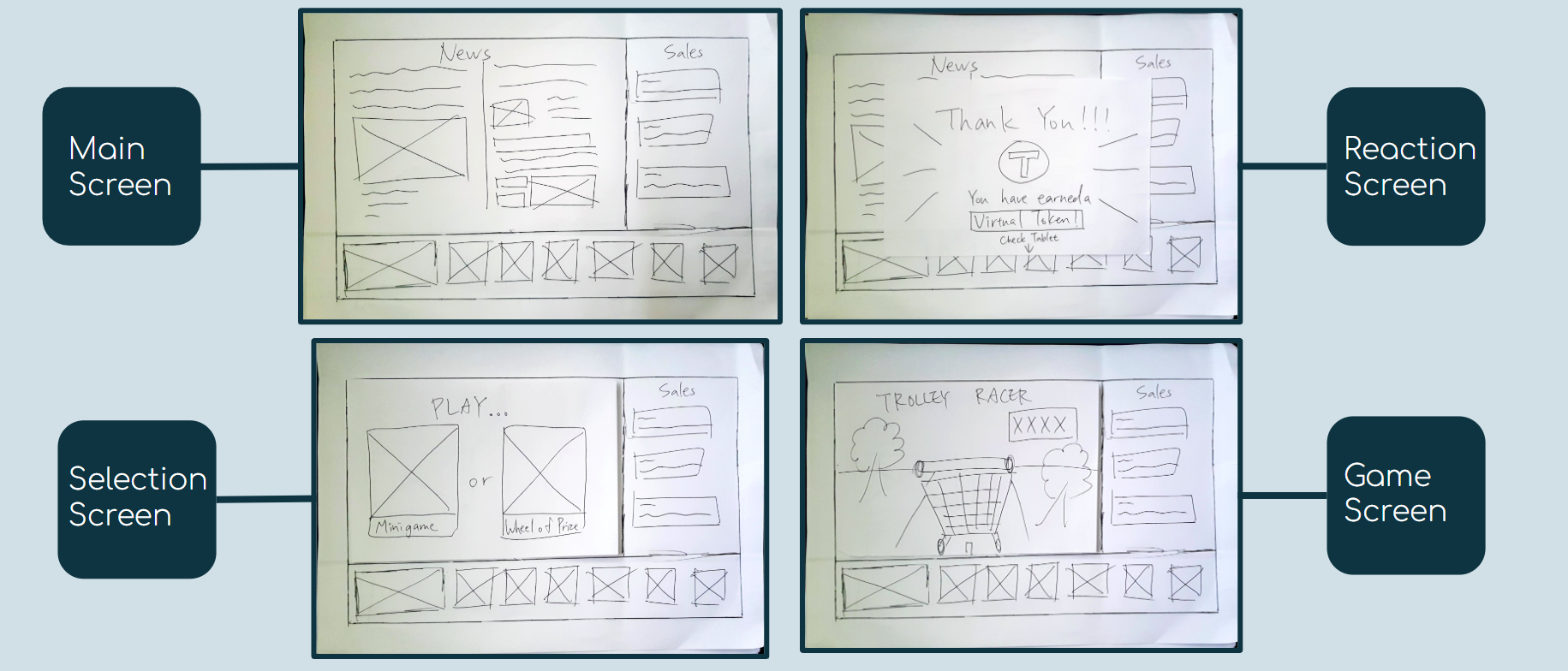
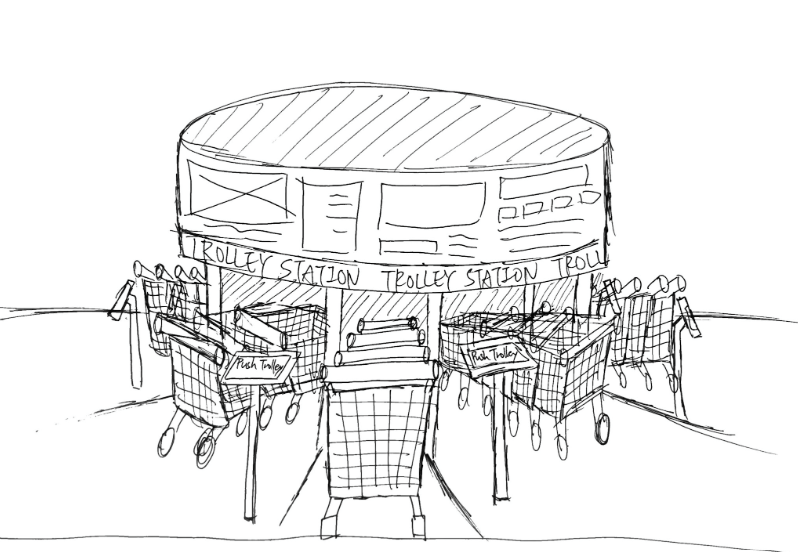
To address the lack of incentive for returning trolleys and the navigational challenge of making return stations more visible, a mid-fidelity prototype of the "Smart Station" was developed. This early design included:
- Main Display
- User Interactive Tablet
- Trolley Sensing Frame
task_altUsability Testing
User testing validated the design and revealed key insights:
🔒 User Privacy:
Vouchers displayed on the main public screen raised concerns of privacy.
🖼️ Aesthetics:
The flickering display was visually jarring and created unnecessary cognitive load.
⏩ Flow Efficiency:
A minigame in the process was found to be a potential bottleneck, slowing down the user journey.
model_trainingKey Iteration
User feedback was used to iterate on the initial concept, shaping the following high-fidelity prototype.
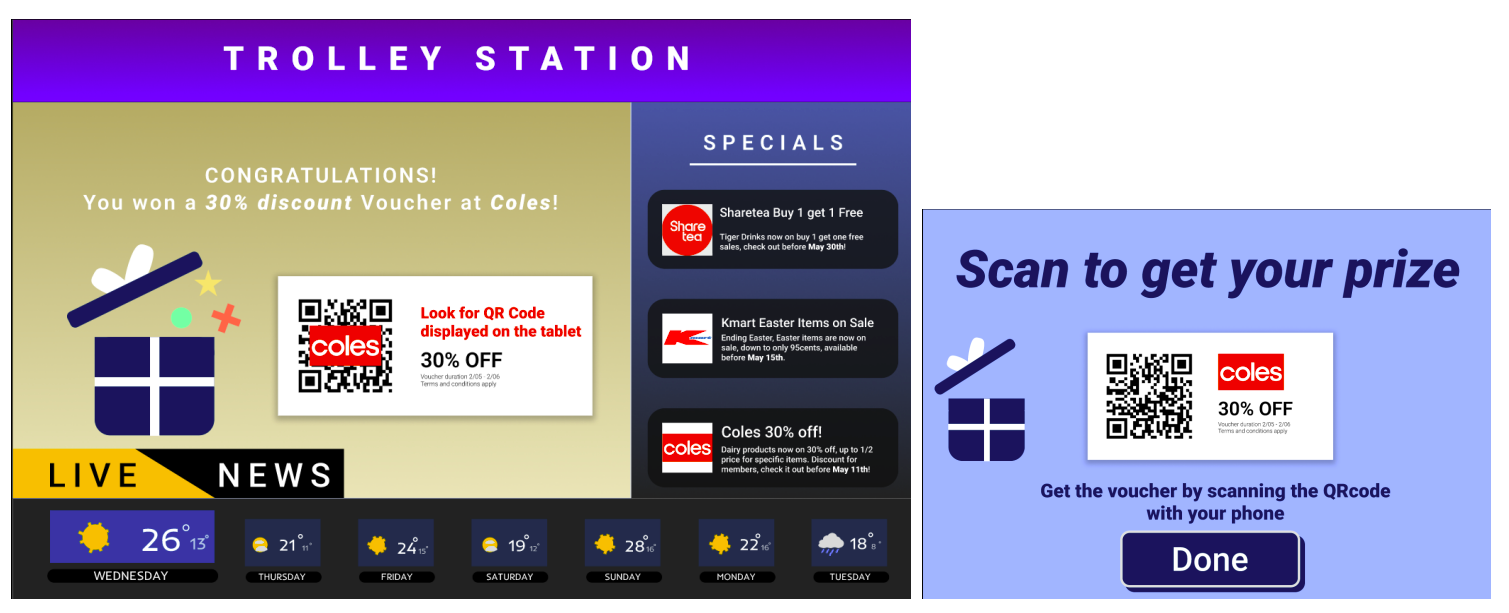
The QR code was relocated to the user interactive tablet to address privacy concerns.
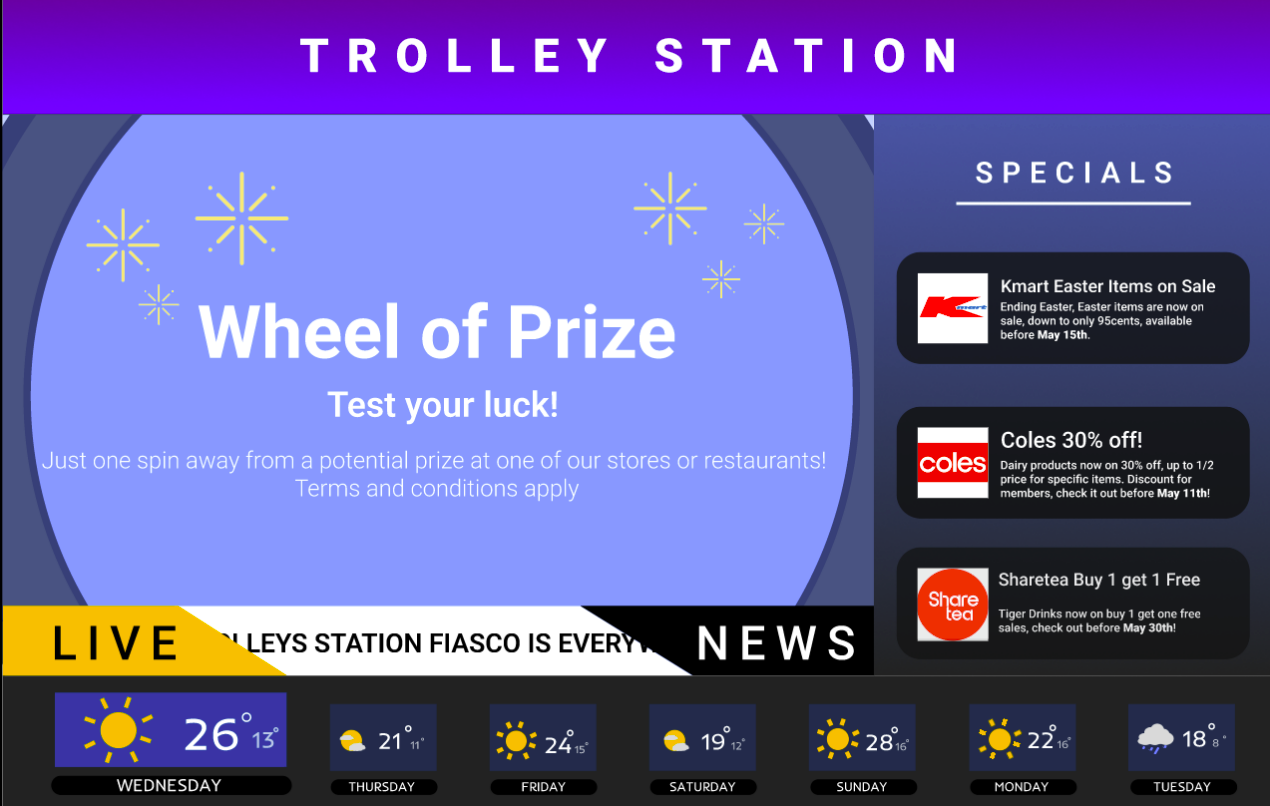
The jarring flickering animation was replaced with a smooth, rolling gradient for an enhanced visual experience.
The minigame was removed and a timer was implemented to streamline the flow and prevent system abuse.
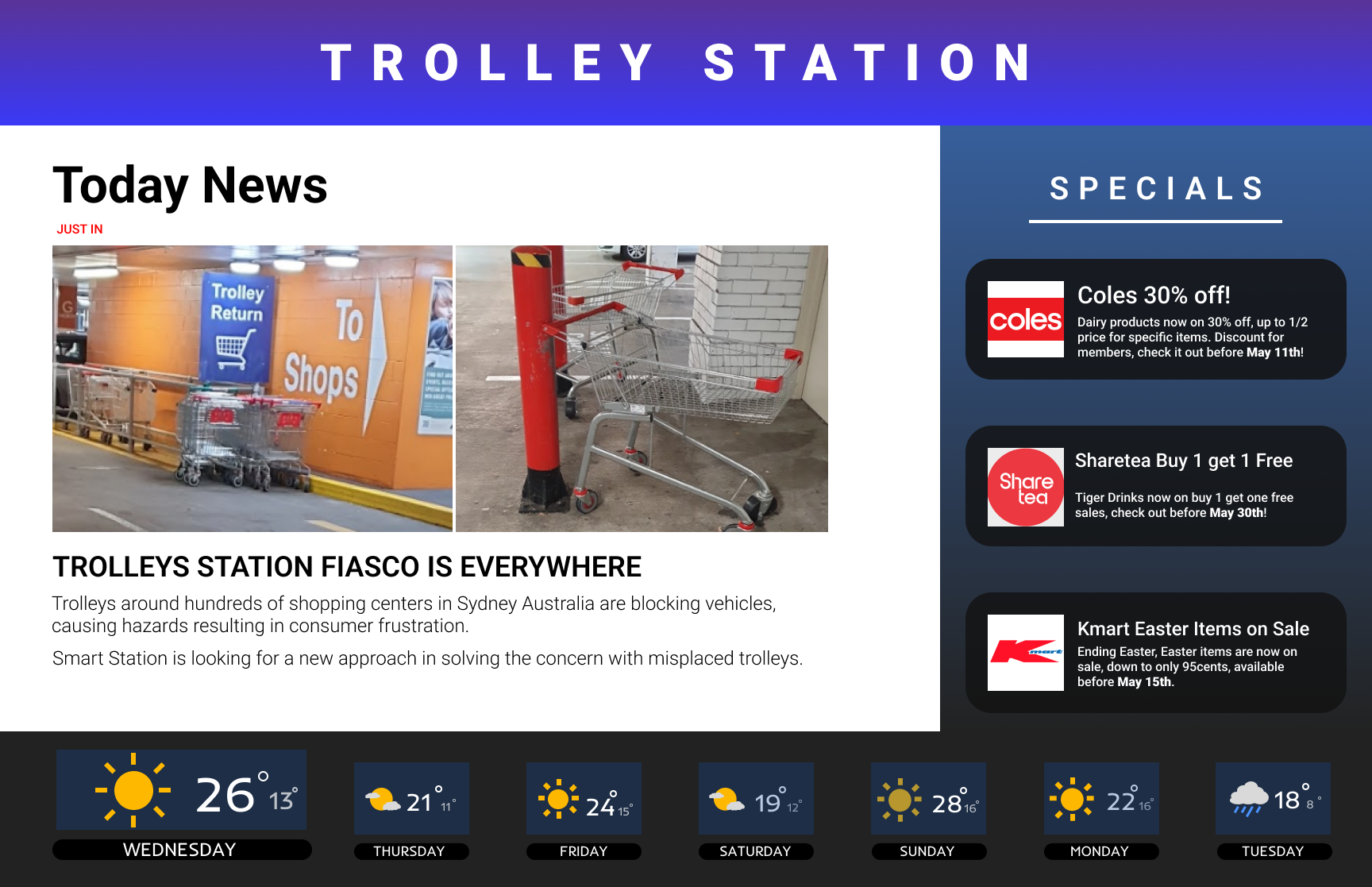
The Solution: High-Fidelity Designs
The high-fidelity "Smart Station" is the polished, final solution to a common retail problem. It transforms the user experience from a chore into a rewarding interaction by integrating all of our key design insights.